Account, Billing & Privacy
Account & Billing
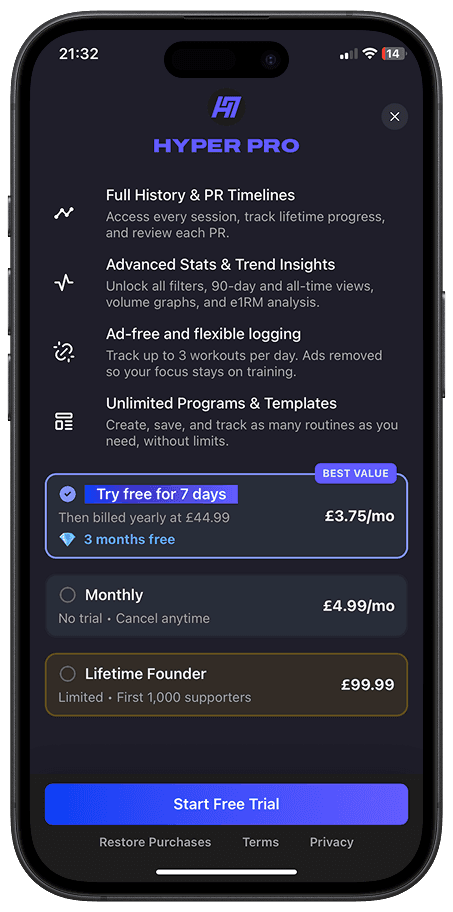
HyperResponder PRO purchases are processed through Apple’s in-app purchase system.
That means refunds are handled by Apple, not directly by HyperResponder.
We can help explain where to go, but we cannot approve, reject, speed up, or reverse App Store charges from inside the app.
How to Request a Refund
To request a refund for a HyperResponder PRO purchase:
Go to reportaproblem.apple.com.
Sign in with the Apple ID used to make the purchase.
Choose Request a refund.
Select the reason for your refund request.
Choose the HyperResponder purchase.
Submit the request to Apple.
Apple will review the request and decide whether the purchase is eligible for a refund.
Use the Correct Apple ID
If you cannot see the HyperResponder purchase, make sure you are signed in with the Apple ID used for the original subscription.
If you have more than one Apple ID, check each one.
You can also check your Apple email receipts to confirm which Apple ID was charged.
Pending Charges
If the charge is still pending, Apple may not allow a refund request yet.
Wait until the charge has fully processed and you have received the Apple receipt, then try again.
Cancelling Is Different From Requesting a Refund
Cancelling your subscription stops future renewals.
Requesting a refund asks Apple to review a charge that has already happened.
If you no longer want PRO, cancel the subscription through your Apple account settings. If you also want a refund for a recent charge, submit a refund request through Apple.
Does Deleting the App Trigger a Refund?
No.
Deleting HyperResponder from your device does not cancel your subscription and does not request a refund.
You need to cancel the subscription through your Apple account settings and request any refund through Apple.
Does Deleting My Account Trigger a Refund?
No.
Deleting your HyperResponder account does not automatically cancel your Apple subscription or request a refund.
If you want to stop future billing, cancel your subscription through Apple before deleting your account.
If you want Apple to consider a refund, submit a refund request through Apple’s refund system.
Can HyperResponder Issue the Refund Directly?
No.
Because HyperResponder PRO is purchased through Apple’s in-app purchase system, Apple manages billing and refund decisions.
HyperResponder does not directly collect your full payment card details and cannot directly refund App Store purchases from our own systems.
How to Check Refund Status
After submitting a refund request, you can check the status through Apple’s Report a Problem website.
Sign in with the same Apple ID, then check the status of your claim.
If You Were Charged Unexpectedly
If you were charged and did not expect it:
Check whether your free trial ended.
Check whether your subscription renewed.
Confirm which Apple ID was charged.
Cancel the subscription if you do not want future renewals.
Submit a refund request to Apple if you want Apple to review the charge.
What to Send Support
If you contact HyperResponder support about a billing issue, include:
the email linked to your HyperResponder account;
whether you subscribed monthly, yearly, or lifetime;
whether Apple shows the subscription as active;
a screenshot of your Apple subscription status if relevant;
a short description of the issue.
Do not send full payment card details.
We can help troubleshoot PRO access, restore issues, and account confusion, but refund decisions are handled by Apple.
Related articles
Account, Billing & Privacy
Data and Privacy: Access, Copy, and Deletion
You can delete your account in HyperResponder settings. If you want a copy of your account or workout data, contact support.
Account, Billing & Privacy
Free vs PRO: What’s Included
HyperResponder is free to start. PRO removes ads and unlocks more of the app for people who want deeper tracking, cleaner logging, and fuller progress history.
Account, Billing & Privacy
How to Cancel Your PRO Subscription
HyperResponder PRO is managed through your Apple account. You can cancel your subscription from your iPhone settings at any time.